Cybersecurity Best Practices to Protect Personal Information Online
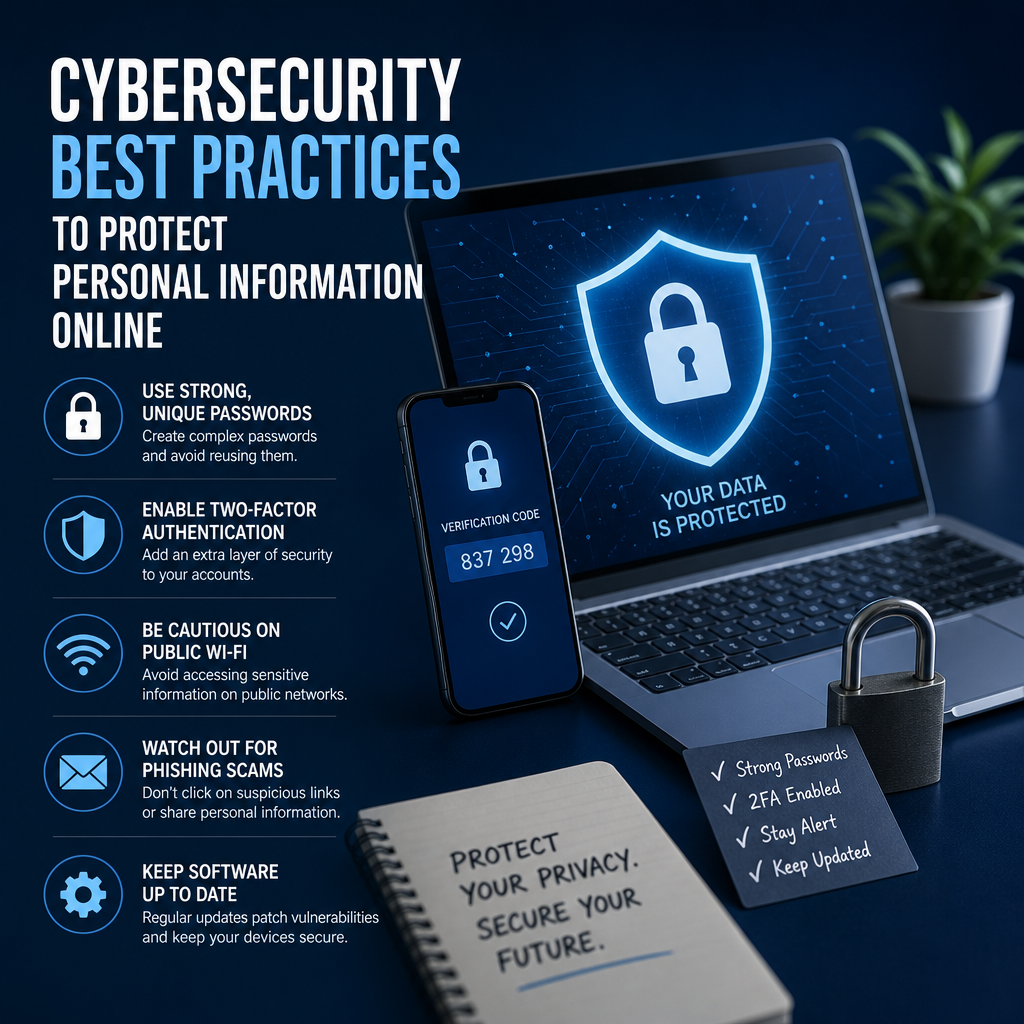
Protecting your personal information online starts with a few simple habits, and cybersecurity best practices can make a big difference. From stronger passwords to spotting phishing scams, these easy steps help keep your accounts, finances, and privacy safer every day.
By: Peter on July 30, 2026
Every time you shop, bank, scroll social media, or sign in to an app, you leave behind pieces of personal data. That data can include your email address, phone number, location, payment details, and even answers to security questions. In a world where so much of life happens online, practicing cybersecurity best practices is no longer optional—it is one of the most effective ways to protect your identity, finances, and privacy.
The good news is that you do not need to be a tech expert to stay safer online. Most cyberattacks succeed because of simple mistakes: weak passwords, ignored software updates, careless sharing, or falling for a convincing phishing email. By building a few smart habits, you can dramatically reduce your risk and keep your personal information out of the wrong hands.
Why Cybersecurity Best Practices Matter
Cybercriminals rarely target only large companies. They often look for the easiest path, and that usually means ordinary people. A stolen password, a reused login, or a fake website can lead to unauthorized purchases, account takeovers, identity theft, and privacy breaches.
Following cybersecurity best practices helps you:
Protect sensitive personal and financial information
Reduce the chances of identity theft
Prevent account compromise
Avoid scams, malware, and phishing attacks
Maintain control over your digital footprint
Think of cybersecurity like locking the doors and windows of your online life. You may not be able to stop every threat, but you can make yourself a much harder target.
Cybersecurity Best Practices for Everyday Online Safety
1. Use Strong, Unique Passwords for Every Account
One of the most important cybersecurity best practices is creating strong passwords and never reusing them across accounts. If a hacker gets one password from a breached website, reused credentials can expose your email, banking, and shopping accounts.
A strong password should:
Be long, ideally 14 characters or more
Include a mix of letters, numbers, and symbols
Avoid names, birthdays, and common words
Be unique for each account
A password manager can help you generate and store complex passwords securely. That way, you only need to remember one master password.
2. Turn On Multi-Factor Authentication
Multi-factor authentication, often called MFA or two-factor authentication, adds another layer of protection beyond your password. Even if someone steals your login credentials, they still need a second verification step to access your account.
Common MFA methods include:
Text message codes
Authentication apps
Push notifications
Security keys
Authentication apps and security keys are generally more secure than SMS codes. Wherever possible, enable MFA on your email, banking, social media, and cloud storage accounts first. Your email account is especially important because it can often be used to reset other passwords.
3. Watch for Phishing Attempts
Phishing remains one of the most common ways attackers steal personal information. These scams often arrive by email, text message, social media message, or fake website. They may ask you to click a link, verify an account, or “fix” a problem right away.
Red flags include:
Urgent language or threats
Misspelled sender addresses
Unusual links
Unexpected attachments
Requests for passwords, PINs, or gift cards
Before clicking anything, pause and verify the source. Open the official website yourself instead of using a link in the message. If the message claims to be from your bank, delivery service, or employer, contact the organization directly through a known official number or site.
4. Keep Software and Devices Updated
Software updates do more than add new features. They often fix security vulnerabilities that attackers can exploit. Outdated operating systems, browsers, apps, and plugins can all create openings for malware or unauthorized access.
Make sure to:
Enable automatic updates when possible
Update your phone, computer, tablet, and smart devices regularly
Remove apps you no longer use
Install updates for browsers and security software promptly
This is one of the simplest cybersecurity best practices, yet it is often overlooked. A few minutes spent updating can prevent much bigger problems later.
5. Secure Your Home Wi-Fi Network
Your home internet connection is another important point of defense. If your Wi-Fi is not properly secured, nearby attackers may be able to snoop on traffic or access devices on your network.
Improve your home network security by:
Changing the default router admin username and password
Using WPA2 or WPA3 encryption
Creating a strong Wi-Fi password
Renaming the default network name if it reveals personal details
Keeping router firmware updated
Turning off remote management if you do not need it
If you work remotely or manage sensitive accounts, consider using a trusted virtual private network on public Wi-Fi, especially when traveling.
6. Be Careful on Public Wi-Fi
Public Wi-Fi at airports, coffee shops, hotels, and libraries is convenient, but it can also be risky. Attackers may intercept data or set up fake hotspots that mimic legitimate networks.
To stay safer on public Wi-Fi:
Avoid logging into banking or financial accounts
Do not enter payment details unless necessary
Use a VPN if appropriate
Turn off automatic Wi-Fi connection
Forget networks after use
Prefer cellular data for sensitive transactions
If you must handle personal information on public Wi-Fi, make sure the site uses HTTPS and keep the session brief.
7. Limit the Personal Information You Share
The less personal information you expose online, the less there is for criminals to use. Social media profiles, quiz results, public posts, and oversharing can all reveal useful details such as your full name, birthday, workplace, hometown, or travel plans.
To reduce your digital exposure:
Review privacy settings on social platforms
Avoid posting sensitive details publicly
Think twice before taking online quizzes that collect data
Remove unnecessary personal info from profiles
Use separate email addresses for shopping, newsletters, and important accounts
Cybersecurity best practices are not only about defending data; they are also about minimizing how much data you place at risk.
8. Review App Permissions and Privacy Settings
Many apps request access to your location, contacts, photos, microphone, or camera. Some of those permissions are unnecessary for the app to function. Over time, it is easy to grant access and forget about it.
Take a few minutes to review:
Which apps can access your location
Which apps have access to your microphone or camera
Which apps can read contacts or photos
Whether ad tracking is enabled
Whether app privacy settings match your comfort level
If an app asks for more access than it needs, deny it or find an alternative. Good digital hygiene means giving each app only the data it actually requires.
9. Back Up Your Important Data
Backups protect you from ransomware, device loss, accidental deletion, and hardware failure. If your files are locked or wiped, a recent backup can save you time, money, and stress.
A practical backup plan often includes:
A local backup on an external drive
A cloud backup for offsite protection
Regular backup scheduling
Periodic testing to confirm files can be restored
For critical files such as tax documents, legal paperwork, and family photos, backup is not a luxury. It is part of responsible cybersecurity.
10. Monitor Your Accounts and Credit Activity
One of the best ways to catch fraud early is to check your accounts regularly. Review bank statements, credit card activity, and online account login alerts. Look for charges or logins you do not recognize.
You can also consider:
Setting transaction alerts
Enabling login notifications
Reviewing your credit reports
Freezing your credit if you are concerned about identity theft
The sooner you notice suspicious activity, the easier it is to limit the damage. Fast action matters.
Smart Habits That Strengthen Personal Data Protection
Cybersecurity works best when it becomes routine. These daily habits can make a big difference:
Use a password manager instead of reusing credentials
Lock your devices with a PIN, password, or biometric login
Sign out of accounts on shared devices
Avoid downloading files or apps from unknown sources
Verify website addresses before entering personal data
Delete messages that ask for urgent action without verification
Keep antivirus or endpoint protection active on your devices
A few consistent choices can protect years of personal information.
What to Do If Your Personal Information Is Exposed
Even with strong cybersecurity best practices, breaches can still happen. If you suspect your personal information has been exposed, act quickly.
Immediate steps to take
Change the password for the affected account.
Change any other accounts that used the same password.
Enable multi-factor authentication if it is not already on.
Review account activity for suspicious logins or purchases.
Contact your bank or credit card issuer if financial data is involved.
Report phishing or fraud attempts to the relevant company.
Place a fraud alert or credit freeze if identity theft is a concern.
If malware may be involved, disconnect the device from the internet and run a reputable security scan. For serious fraud or identity theft, official reporting channels can help you document the incident and recover more effectively.
Building a Practical Cybersecurity Routine
You do not need to overhaul your digital life overnight. Start with the highest-impact changes first.
A simple monthly routine
Review important account activity
Check for software updates
Audit app permissions
Back up essential files
Update passwords for any accounts that have weak protection
Confirm MFA is enabled on sensitive accounts
A simple daily routine
Think before clicking links or opening attachments
Use secure connections when entering personal data
Lock devices when not in use
Avoid sharing more personal information than necessary
These small steps create a strong foundation for personal data protection.
Frequently Asked Questions
1. What are the most important cybersecurity best practices for beginners?
Start with the basics: use strong unique passwords, turn on multi-factor authentication, keep devices updated, and watch for phishing messages. These four habits protect against many of the most common attacks.
2. Is a password manager safe to use?
Yes, a reputable password manager is generally much safer than reusing weak passwords or writing them down in unsecured places. Choose one with a strong reputation, encryption, and multi-factor authentication support. Use a strong master password and protect it carefully.
3. How can I tell if an email is a phishing attempt?
Look for urgent requests, strange sender addresses, poor grammar, unexpected links, and pressure to act quickly. If the email asks for passwords, payment details, or verification information, treat it with caution and confirm through an official source.
4. Do I really need multi-factor authentication on every account?
You should enable MFA on every account that offers it, especially email, banking, cloud storage, and social media. Even if one account is less sensitive, it can still be used to gather information or access other services.
5. What should I do if my data was exposed in a breach?
Change the password for the affected account right away, update any reused passwords, and enable multi-factor authentication. Monitor your financial accounts and credit activity, and consider a credit freeze if the breach involves highly sensitive personal information.
Protecting your personal information online does not require perfect behavior, advanced tools, or a technical background. It starts with a few smart and consistent cybersecurity best practices: strong passwords, multi-factor authentication, software updates, caution with links and messages, secure Wi-Fi habits, and regular monitoring of your accounts. When these practices become part of your routine, they can significantly reduce the chances of identity theft, account compromise, and privacy loss.
The most effective cybersecurity strategy is the one you will actually use. Begin with the highest-risk areas first, especially your email, banking, and cloud accounts. Then move on to device security, app permissions, and data backups. Small changes made today can prevent major problems tomorrow. As threats continue to evolve, staying informed and staying consistent will help you protect what matters most—your personal information, your finances, and your peace of mind.
Peter B holds a degree in Journalism and has 5 years of experience covering U.S. economic policy, labor markets, and financial news. He writes data-driven news content on topics like inflation, interest rates, and employment trends.