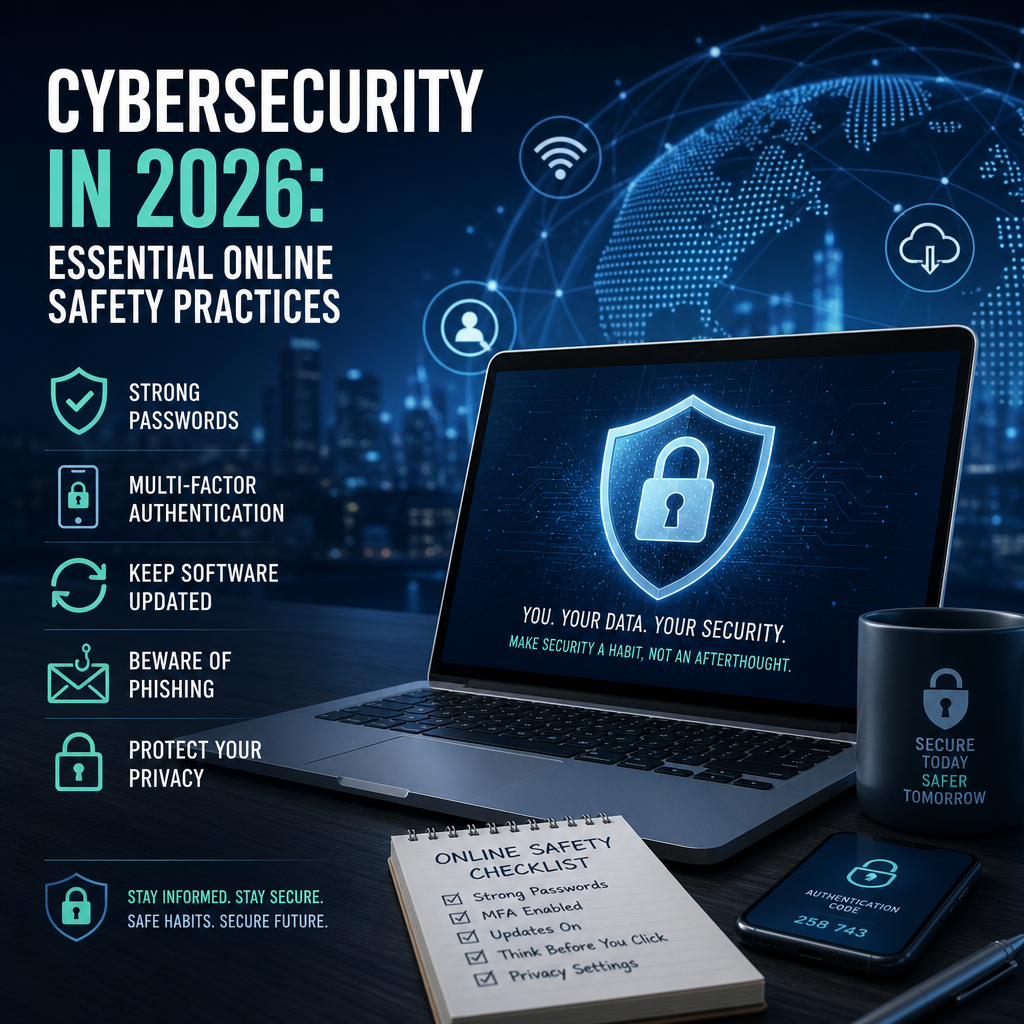
Cybersecurity in 2026: Essential Online Safety Practices
Cybersecurity in 2026 starts with simple, consistent online safety practices that protect your accounts, devices, and data before a threat becomes a crisis. From phishing scams to account takeovers, these habits help individuals and businesses stay one step ahead without making digital life more complicated.
By: Peter on July 30, 2026
Cybersecurity in 2026 is no longer just an IT concern. It affects how people shop, work, bank, communicate, and store personal information every single day. As cyber threats become more sophisticated, both individuals and businesses need practical, reliable habits that reduce risk without making digital life harder than it needs to be.
The good news is that strong online safety does not require advanced technical skills. A few consistent practices, combined with modern security tools, can dramatically improve protection against phishing, account takeovers, malware, ransomware, and data theft. Whether you are managing your own devices or securing an entire organization, the fundamentals of cybersecurity in 2026 remain surprisingly human: pay attention, stay updated, and make safer choices by default.
Why Cybersecurity in 2026 Matters More Than Ever
Digital threats have evolved alongside the technology people use every day. Attackers now rely on automated tools, stolen credentials, AI-assisted phishing, deepfake impersonation, and social engineering that feels alarmingly real.
The modern threat landscape
Today’s cyber risks often target behavior rather than just software weaknesses. That means even fully updated systems can be compromised if a user:
clicks a convincing phishing link
approves a fake login prompt
reuses passwords across accounts
downloads unsafe attachments
ignores software updates
For businesses, one weak employee account can expose sensitive customer data, internal systems, and financial resources. For individuals, a compromised email or banking account can lead to identity theft and long-term recovery headaches.
The shift from prevention only to resilience
In 2026, good security is about more than trying to stop every attack. It is also about:
limiting the damage when something goes wrong
detecting suspicious activity early
recovering quickly
keeping critical data backed up and accessible
That mindset applies to laptops, phones, smart devices, cloud accounts, and workplace networks alike.
Cybersecurity in 2026: Essential Online Safety Practices
The most effective cybersecurity habits are the ones people actually use consistently. The following practices form a strong foundation for both personal and business protection.
Use strong, unique passwords for every account
Password reuse remains one of the easiest ways for attackers to break into accounts. If one website is breached, stolen credentials can be tested elsewhere.
Best practices include:
using unique passwords for each account
creating long passphrases instead of short, complex strings
storing credentials in a trusted password manager
changing passwords immediately after a breach or suspicious activity
A password manager also reduces the temptation to reuse the same login for email, banking, shopping, and work apps.
Turn on multi-factor authentication everywhere possible
Multi-factor authentication, or MFA, adds a second layer of verification beyond the password. This could be a one-time code, biometric scan, authenticator app, or hardware security key.
For most users, the best options are:
Authenticator apps for everyday protection
Hardware security keys for high-value accounts
Biometrics for convenience on trusted devices
SMS-based codes are better than no MFA, but they can be weaker than app-based or hardware-based methods due to SIM-swapping and message interception risks.
Keep software, devices, and apps updated
Many successful attacks exploit vulnerabilities that already had patches available. Updating software is one of the simplest and most effective defenses in cybersecurity in 2026.
Update:
operating systems
browsers
mobile apps
antivirus or endpoint protection tools
routers and smart home devices
business software and cloud platforms
Where possible, turn on automatic updates. For businesses, create a patch management process so critical systems are updated quickly and consistently.
Recognize phishing and social engineering
Phishing remains one of the most common ways attackers steal credentials or deliver malware. Modern phishing messages can look polished, urgent, and highly personalized.
Watch for these warning signs:
unusual urgency or pressure to act immediately
unexpected login requests
links that do not match the sender’s organization
grammar that feels slightly off, even in polished messages
requests for payment, gift cards, or confidential data
attachments you were not expecting
A safer habit is to avoid clicking links in suspicious messages. Instead, go directly to the official website or contact the organization through a verified phone number or portal.
Back up important data regularly
Backups are essential for ransomware recovery, accidental deletion, hardware failure, and account compromise. The most reliable approach is the 3-2-1 backup strategy:
keep 3 copies of important data
store them on 2 different types of media
keep 1 copy offsite or in the cloud
For individuals, this can mean a cloud backup plus an external drive. For businesses, backups should be tested, encrypted, and isolated from active systems when possible.
Secure your home and work networks
Your network is a gateway to your devices and data. A weak router or unsecured Wi-Fi can create unnecessary exposure.
Improve network security by:
changing default router admin credentials
using WPA2 or WPA3 encryption
updating router firmware
creating a separate guest network for visitors and smart devices
avoiding public Wi-Fi for sensitive tasks unless you use a trusted VPN
Businesses should also segment networks so that user devices, servers, and guest access are separated whenever possible.
Cybersecurity for Individuals: Practical Daily Habits
Personal cybersecurity works best when it feels routine. You do not need to become paranoid; you need to become deliberate.
Protect your identity and accounts
Your email account is often the key to your digital life. If someone gains access to it, they may reset passwords for banking, shopping, and social media accounts.
To reduce risk:
use a unique password for email
enable MFA
review account recovery options
check login history and active sessions
remove old devices you no longer use
If available, use account alerts for suspicious logins or password changes.
Be cautious with apps and downloads
Every app and download creates risk if it comes from an untrusted source. Before installing software, check:
the publisher or developer name
permissions requested by the app
user reviews from credible sources
whether the app is available from an official store or vendor site
Avoid downloading cracked software, unauthorized browser extensions, or unknown files sent by email or messaging apps.
Protect your privacy on mobile devices
Phones carry a lot of sensitive information, including messages, payment apps, photos, and location data. Good mobile security includes:
using a passcode or biometrics
enabling device encryption
turning on remote wipe or find-my-device features
reviewing app permissions
disabling Bluetooth and location sharing when not needed
If you use public charging stations, consider a charge-only cable or portable battery to avoid risky data connections.
Cybersecurity for Businesses: Building a Strong Security Culture
For organizations, cybersecurity in 2026 is as much about culture as technology. A company can buy excellent tools and still fail if employees do not understand their role in protection.
Train employees to spot threats
Security awareness training should be practical, current, and role-specific. Employees need to know how attacks show up in their actual workflow.
Training should cover:
phishing and impersonation attempts
safe handling of customer data
password and MFA rules
reporting suspicious activity
device and remote-work security
Short, regular training often works better than a once-a-year presentation. Simulated phishing exercises can help reinforce lessons without blaming people for mistakes.
Use least privilege and access controls
Not everyone needs access to everything. The principle of least privilege limits the impact of a compromised account.
Businesses should:
give users access only to the systems they need
review permissions regularly
remove access quickly when employees change roles or leave
protect admin accounts with stronger MFA and separate logins
This approach reduces both accidental misuse and attacker movement inside a network.
Secure remote and hybrid work
Remote work remains common, and it expands the security boundary. Employees may use home networks, mobile devices, and cloud tools in ways that require extra care.
Strong remote-work practices include:
requiring MFA for all business apps
using managed devices or mobile device management
encrypting company laptops and phones
connecting through secure VPNs when appropriate
preventing sensitive work from being stored on personal devices without controls
Clear policies matter here. People make better decisions when expectations are simple and specific.
Plan for incident response before an incident happens
When a security incident occurs, confusion wastes time. A written incident response plan helps teams act quickly and consistently.
Every business should define:
who to contact first
how to isolate affected systems
how to preserve evidence
when to notify customers, vendors, or regulators
how to restore operations safely
Regular tabletop exercises can reveal gaps before a real incident forces the issue.
Smart Tools That Strengthen Cybersecurity in 2026
Technology is most useful when it supports good habits. The right tools can help individuals and businesses detect threats faster and respond more effectively.
Recommended tools and protections
Consider these security layers:
Password managers to generate and store strong credentials
MFA apps or hardware keys to protect accounts
Endpoint protection to detect malware and suspicious behavior
Encrypted cloud backups for recovery
Email filtering and anti-phishing tools for organizations
Device encryption on laptops, tablets, and phones
Mobile device management for business-owned or BYOD environments
No single product is enough. Security works best as a layered system.
AI can help, but it is not a substitute for caution
AI-based tools are increasingly useful for detecting suspicious behavior, filtering phishing attempts, and prioritizing alerts. But attackers use AI too. A polished message or flawless grammar does not guarantee legitimacy.
Treat AI as an assistant, not an authority. Verify unfamiliar requests through trusted channels.
Common Mistakes to Avoid
Even people who care about security often fall into a few predictable traps.
Avoid these habits
reusing passwords across accounts
postponing updates
trusting unexpected links or attachments
skipping backups
using public Wi-Fi without precautions
granting app permissions without reviewing them
sharing too much information on social media
ignoring unusual account alerts
A strong cybersecurity routine is often less about adding complexity and more about removing risky shortcuts.
A Simple Cybersecurity Checklist for 2026
Use this checklist as a practical starting point:
Update all devices and apps.
Enable MFA on email, banking, cloud storage, and work accounts.
Replace reused passwords with unique passphrases.
Install a reputable password manager.
Review privacy and security settings on phones and browsers.
Back up important files and test recovery.
Verify sender identity before clicking links or opening attachments.
Secure your router and Wi-Fi network.
Remove old accounts and unused apps.
Report suspicious activity quickly.
Frequently Asked Questions
What is the most important cybersecurity practice for individuals in 2026?
The most important step is to protect your accounts with unique passwords and multi-factor authentication. Since email and password reuse are common attack targets, securing your main accounts creates a strong foundation. From there, regular updates and backups add important layers of protection.
How can small businesses improve cybersecurity without a large budget?
Small businesses can make major gains with low-cost steps such as enabling MFA, using password managers, applying software updates, training employees to spot phishing, and backing up data regularly. Good habits and clear policies often reduce risk more effectively than expensive tools alone.
Is antivirus software still necessary in 2026?
Yes, but antivirus is only one part of a broader security strategy. Modern endpoint protection can help detect malware, suspicious activity, and known threats, but it should be combined with updates, MFA, safe browsing habits, and backups. No single tool is enough by itself.
How often should backups be tested?
Backups should be tested regularly, not just created. For many individuals, a periodic test every few months may be enough. Businesses should test restoration more often and after major system changes. A backup that cannot be restored is not a reliable backup.
What should I do first if I suspect a hacked account?
Act quickly. Change the password immediately if you still have access, sign out of other sessions, enable or recheck MFA, review recovery settings, and look for unauthorized activity. If the account is tied to banking or work systems, notify the relevant organization right away.
Cybersecurity in 2026 depends on consistent, practical habits rather than perfect technology. For individuals, that means using strong unique passwords, enabling multi-factor authentication, keeping devices updated, backing up important files, and staying alert to phishing attempts. For businesses, it also means building a security-aware culture, limiting access, training employees, securing remote work, and preparing for incidents before they happen.
The most effective online safety strategy is layered and realistic. Small actions, done well and done regularly, can prevent major disruptions and protect the information that matters most. In a digital world where threats evolve quickly, staying secure is not about fear; it is about readiness. Start with the basics, strengthen them over time, and make cybersecurity part of your everyday routine. The earlier you build these habits, the easier it becomes to stay protected as technology continues to change.
Peter B holds a degree in Journalism and has 5 years of experience covering U.S. economic policy, labor markets, and financial news. He writes data-driven news content on topics like inflation, interest rates, and employment trends.