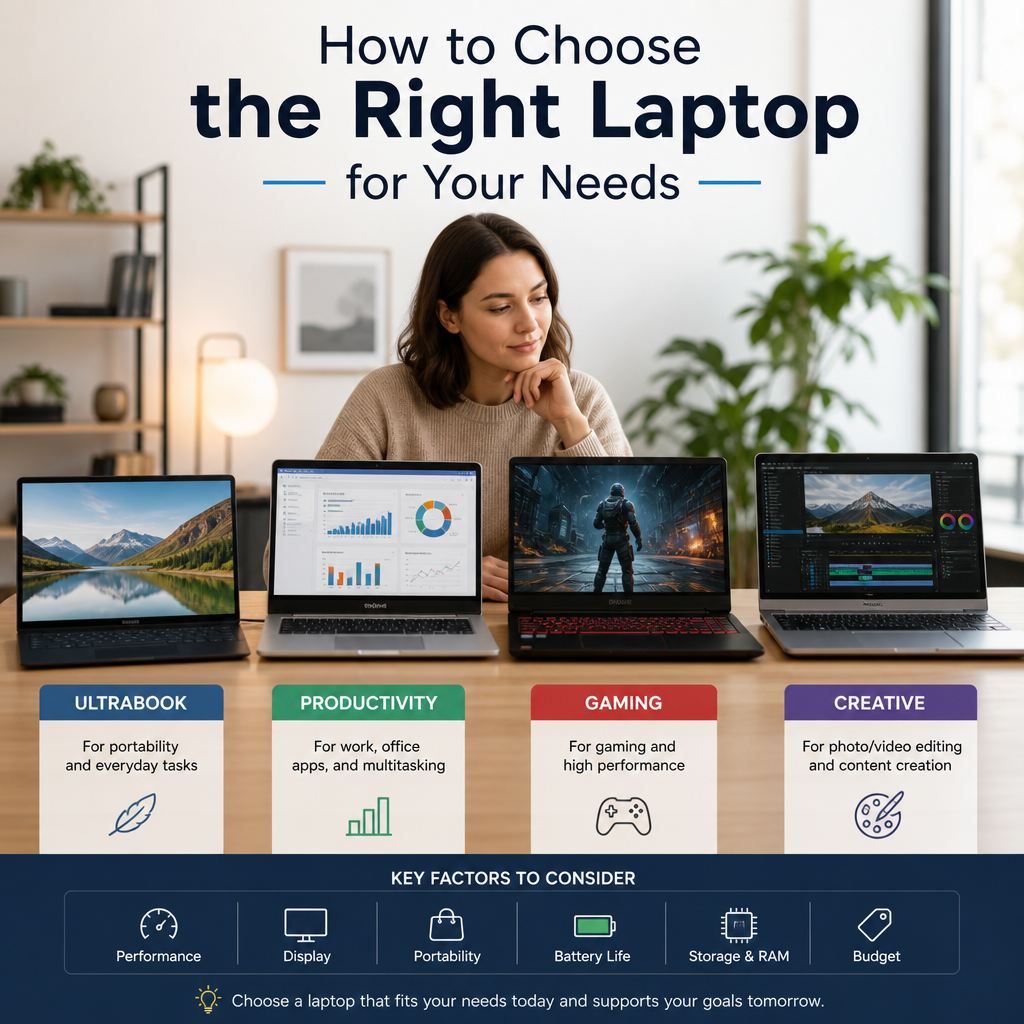
Choosing the right laptop starts with your real-world needs, not the biggest specs sheet. Whether you’re working, studying, creating, or just browsing, knowing how to choose the right laptop helps you find a device that fits your lifestyle and budget.
By: Peter on July 30, 2026
Choosing a new computer can feel overwhelming, especially when every model seems to promise speed, portability, and value. The truth is, the right laptop depends less on flashy specs and more on how you actually plan to use it. If you’re comparing options for work, school, creative projects, or everyday personal use, understanding how to choose the right laptop can save you money and frustration.
A well-matched laptop should support your habits, not force you to adapt to its limitations. In this guide, you’ll learn how to evaluate performance, battery life, screen quality, storage, and other key factors so you can make a confident decision.
How to Choose the Right Laptop for Your Daily Needs
The best way to start is by identifying what you do most often. A laptop that works beautifully for a writer or business professional may not be ideal for a video editor, gamer, or engineering student. Before comparing brands or prices, define your primary use case.
Start with your main purpose
Ask yourself these questions:
Will you mostly browse the web, stream video, and handle email?
Do you need it for office work, spreadsheets, meetings, and document editing?
Are you using demanding software for design, coding, music production, or video editing?
Do you travel often and need a lightweight device with long battery life?
Will multiple people use it for different tasks?
Your answer should guide every other choice. For example, a remote employee who spends the day in video calls and cloud apps has very different needs than a student who carries a laptop between classes and works in libraries.
Match the laptop to your lifestyle
A laptop is a balance of portability, power, and comfort. Think about where you’ll use it most:
Home use: You may prioritize a larger screen and a comfortable keyboard.
On the go: Weight, battery life, and durability matter more.
Office or professional use: Security features, reliability, and compatibility with work software become essential.
Creative work: Display quality, processor speed, and memory become more important.
A clear use case keeps you from overspending on performance you won’t use or underbuying and ending up with slow, frustrating hardware.
How to Choose the Right Laptop by Key Specs
Once you know what you need, it’s time to evaluate the hardware. Specs can seem technical, but they become much easier to understand when you tie them to real-world use.
Processor: the laptop’s engine
The processor, or CPU, affects how fast your laptop handles tasks. If you open many tabs, work in multiple apps, or use demanding software, a stronger processor makes a noticeable difference.
For general use, a modern midrange processor is usually enough. For demanding professional tasks, look for higher-performance chips that can handle multitasking without lag.
Consider:
Basic tasks: web browsing, email, streaming, and document editing
Moderate use: large spreadsheets, many browser tabs, virtual meetings
Heavy use: content creation, programming, data analysis, video editing, or gaming
Memory: multitasking power
Memory, or RAM, helps your laptop keep multiple tasks open at once. More memory generally means smoother multitasking.
A practical way to think about it:
8 GB RAM: Fine for basic everyday use
16 GB RAM: A smart choice for most professionals, students, and multitaskers
32 GB or more: Useful for advanced creative work, software development, and heavier workloads
If you regularly switch between video calls, cloud tools, browsers, and office apps, more RAM can make your laptop feel much faster.
Storage: speed and space
Storage affects how much you can save on the device and how quickly it loads files and applications. Solid-state drives (SSDs) are now the standard because they are much faster and more reliable than older hard drives.
When deciding on storage:
Choose 256 GB only if you mostly use cloud storage and light apps.
Choose 512 GB for a more comfortable balance of space and value.
Choose 1 TB or more if you store large files, photos, videos, or software libraries.
If you use external drives or cloud storage, you may not need as much internal space. Still, it’s usually wise to buy a little more than you think you need.
Display: comfort and clarity
The screen matters more than many buyers realize. You’ll stare at it for hours, so image quality and size affect both comfort and productivity.
Think about:
Screen size:
13–14 inches for portability
15–16 inches for a larger workspace
17 inches or more for desktop replacement use
Resolution:
Full HD is a solid baseline for most users
Higher resolutions help with sharper visuals and more screen space
Panel quality:
Better color accuracy helps creative work
Anti-glare screens reduce reflections in bright spaces
If you work long hours, a comfortable display can reduce eye strain and improve productivity.
How to Choose the Right Laptop for Personal Use
Personal users often want a balance of convenience, affordability, and entertainment. The right laptop should handle everyday tasks without feeling slow or overly complicated.
Best features for everyday users
For home and personal use, focus on simplicity and usability:
Fast startup and smooth browsing
Reliable battery life
Quiet operation
Decent speakers and webcam for calls and streaming
Enough storage for photos, downloads, and apps
If your main activities are streaming movies, shopping online, managing finances, and staying in touch with family, you likely do not need a high-end machine.
Ideal laptop types for personal use
Different laptop styles suit different preferences:
Traditional clamshell laptops: Good all-around choice for most people
2-in-1 convertibles: Useful if you want touchscreen flexibility for note-taking or media consumption
Chromebooks: Can work well for users who rely heavily on web apps and simple tasks
A personal-use laptop should be easy to maintain and comfortable to use. If possible, test the keyboard and trackpad before buying, since these are the parts you’ll interact with every day.
How to Choose the Right Laptop for Professional Work
Professional users should think beyond basic performance. A laptop used for business or specialized work must be dependable, secure, and efficient under pressure.
Business and office professionals
If your work revolves around documents, email, spreadsheets, and meetings, prioritize:
A comfortable keyboard
Good battery life
Reliable webcam and microphone
Light weight for commuting or travel
Strong Wi-Fi and port selection for accessories
For many office roles, a well-built midrange laptop delivers excellent value. You don’t always need a premium machine, but you do need one that won’t slow you down during busy workdays.
Creative professionals
Designers, photographers, video editors, and musicians often need more horsepower. For these users, the most important factors include:
A powerful CPU
Plenty of RAM
Fast SSD storage
High-quality display with accurate colors
A capable graphics processor if the software demands it
For example, a video editor working with large footage files will benefit more from performance and storage than from a super-light chassis alone.
Developers and technical users
Programmers and analysts often need a laptop that handles multiple tools at once. Consider:
At least 16 GB RAM
A strong processor
A comfortable keyboard
Good battery life for long work sessions
A screen large enough to view code and documentation comfortably
If you use virtual machines, containers, or data-heavy software, you may need even more memory and processing power.
Other Important Factors When Buying a Laptop
Specs matter, but they are not the only things that determine whether a laptop feels right.
Battery life
Battery life is critical if you travel, commute, or work away from power outlets. Manufacturer claims can be helpful, but real-world use often depends on screen brightness, workload, and background apps.
Look for a laptop that comfortably lasts through your typical day. If you attend classes, meetings, or work sessions away from a charger, battery life becomes a top priority.
Build quality and durability
A sturdy laptop can last longer and feel better in daily use. Metal chassis, reinforced hinges, and quality keyboards can improve durability. If you travel frequently, durability is especially important.
Ports and connectivity
Make sure the laptop has the connections you need:
USB-A for older accessories
USB-C for modern charging and peripherals
HDMI for external monitors or projectors
Headphone jack if you use wired audio
SD card reader if you transfer photos or media
Do not assume adapters will solve everything. A laptop with the right ports can simplify your workflow.
Operating system
The operating system affects software compatibility, security, and user experience. Choose based on your ecosystem and work requirements:
Windows: Broad compatibility and many business applications
macOS: Popular with creative professionals and users in the Apple ecosystem
ChromeOS: Lightweight and simple for cloud-based tasks
Linux: Preferred by some developers and technical users
The best laptop is the one that runs the tools you need without friction.
How to Set a Smart Budget
Budgeting is one of the most important parts of choosing the right laptop. More expensive does not automatically mean better for your needs. The goal is to spend where it matters.
Spend on what affects your daily experience
Prioritize:
Processor
RAM
Storage
Display
Battery life
Build quality
If you need to trim costs, consider scaling back on extras like premium materials, high-end graphics, or touchscreen features you won’t use.
Avoid common buying mistakes
Many buyers make the same errors:
Paying for performance they do not need
Buying too little RAM or storage
Ignoring keyboard comfort
Overlooking battery life
Choosing a laptop based only on brand reputation
A smart purchase focuses on real use, not marketing buzz.
Practical Laptop Buying Examples
Here are a few simple examples to make the decision easier.
Example 1: College student
A student who writes papers, joins online classes, and uses cloud apps may do well with:
8–16 GB RAM
256–512 GB SSD
Lightweight design
All-day battery life
Example 2: Remote business worker
A remote employee handling meetings, documents, and multitasking may need:
16 GB RAM
Reliable webcam and microphone
Comfortable keyboard
Solid battery life
Good port selection
Example 3: Video editor
A creative professional editing large video files should look for:
High-performance CPU
16–32 GB RAM or more
Fast, larger SSD
Color-accurate display
Dedicated graphics if needed
These examples show that “best” depends on the job, not just the price tag.
A Simple Step-by-Step Buying Checklist
Before you buy, use this quick checklist:
Define your main use case.
Set your budget.
Choose the operating system you need.
Pick the right processor and RAM.
Decide how much storage you need.
Check screen size and display quality.
Review battery life and portability.
Confirm ports, webcam, and connectivity.
Read trusted reviews.
Make sure the keyboard and trackpad feel comfortable.
This process helps you compare options logically instead of getting distracted by promotions or unnecessary features.
Frequently Asked Questions
1. What is the most important factor when choosing a laptop?
The most important factor is how you plan to use it. If you know your main tasks, you can choose the right balance of processor, memory, storage, and portability. A laptop for basic home use should not be selected the same way as one for professional video editing or software development.
2. How much RAM do I really need?
For many users, 8 GB is enough for everyday browsing, streaming, and word processing. If you multitask heavily, work in business apps, or want a laptop that feels more future-ready, 16 GB is often the better choice. Creative professionals and technical users may benefit from 32 GB or more.
3. Is a Chromebook a good choice for personal use?
A Chromebook can be a great choice if you mainly use web-based tools like email, cloud storage, streaming services, and online documents. It is usually simple, fast to start, and affordable. However, it may not be the best option if you need specialized desktop software.
4. Should I buy a laptop with a dedicated graphics card?
A dedicated graphics card is helpful if you work with video editing, 3D design, gaming, or other graphics-intensive applications. For general productivity, streaming, and web use, integrated graphics are usually enough and can help keep the laptop lighter and more power-efficient.
5. How long should a laptop battery last?
The ideal battery life depends on your routine. If you often work away from outlets, look for a model that can comfortably last through your typical day. Keep in mind that actual battery performance varies based on screen brightness, software use, and connectivity settings.
Knowing how to choose the right laptop starts with honesty about your needs. A machine that fits your work style, travel habits, and software requirements will serve you far better than one chosen for specs alone. Whether you need a simple laptop for browsing and entertainment or a powerful system for professional projects, the smartest approach is to match the hardware to your actual routine.
Focus on the features that will shape your daily experience: processor speed, RAM, storage, display quality, battery life, and comfort. Then narrow your options based on the operating system, portability, and budget that make sense for you. Taking a few extra minutes to compare these details can prevent years of annoyance and wasted money.
If you approach the purchase with a clear purpose, you’ll end up with a laptop that feels reliable, efficient, and worth the investment. The best next step is to make a short list of your must-have features and compare models side by side before buying.
Peter B holds a degree in Journalism and has 5 years of experience covering U.S. economic policy, labor markets, and financial news. He writes data-driven news content on topics like inflation, interest rates, and employment trends.