Cloud Storage Benefits for Personal and Business Use
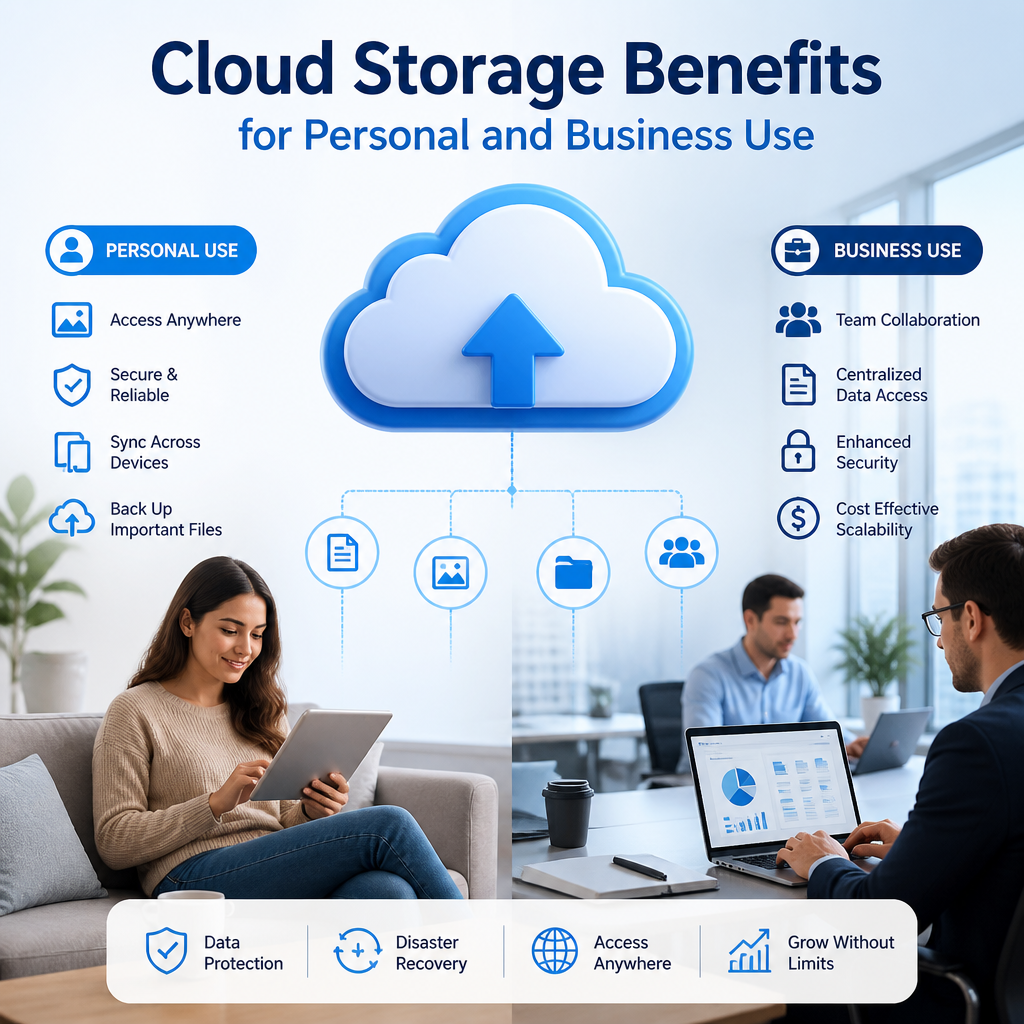
Cloud storage makes it easy to access, back up, and share files from anywhere, whether you’re protecting personal memories or keeping business projects running smoothly. With the right setup, it can save time, improve collaboration, and give you greater peace of mind.
By: Peter on July 30, 2026
Cloud storage has become one of the most practical tools for managing digital life. Whether you want to back up family photos, collaborate with a remote team, or keep important files accessible from anywhere, the benefits of cloud storage are hard to ignore. It offers a flexible way to store, sync, and protect data without depending on a single physical device.
For individuals, cloud storage simplifies file access and helps prevent data loss. For businesses, it supports collaboration, disaster recovery, and scalable growth. As more people work across multiple devices and locations, cloud storage continues to prove its value in everyday use.
What Is Cloud Storage?
Cloud storage is a service that lets you save files on remote servers managed by a provider instead of keeping everything on your computer, phone, or external hard drive. You upload documents, photos, videos, or business files to the cloud, and then access them through the internet.
Common examples include:
Personal file backups
Shared project folders
Photo libraries
Document archives
Business databases and application files
Instead of storing everything in one place, cloud storage spreads data across secure data centers. That structure is one of the reasons the benefits of cloud storage extend so well to both personal and business use.
The Benefits of Cloud Storage for Personal Use
Easy Access from Anywhere
One of the biggest advantages of cloud storage is convenience. You can access your files from a laptop at home, a tablet while traveling, or a phone on the go. If you move between devices often, cloud storage keeps your content available without having to transfer files manually.
This is especially useful for:
Students switching between school and home devices
Families sharing photos and videos
Travelers who need documents on the move
Freelancers who work from different locations
Better Backup and Data Protection
Losing a phone, laptop, or external drive can be frustrating, especially if important files are stored only on that device. Cloud storage adds a backup layer that helps protect against accidental deletion, hardware failure, theft, or damage.
A simple personal backup plan may include:
Automatically syncing important folders to the cloud
Keeping copies of key documents like IDs and tax records
Storing photos in a cloud-based gallery
Enabling file version history when available
This backup capability is one of the most practical benefits of cloud storage because it reduces the chance of permanent data loss.
More Storage Without Physical Clutter
Home devices fill up quickly with photos, videos, downloads, and large files. Cloud storage gives you more room without buying extra hardware or constantly deleting files to free space.
Instead of using your phone as a permanent archive, you can move older files to the cloud and keep your device running smoothly. That makes cloud storage a smart choice for people who want digital organization without the mess of multiple external drives.
Simple File Sharing
Cloud storage makes sharing easier than sending large attachments by email. You can share a link to a file or folder, choose who can view or edit it, and stop access when needed.
This is useful for:
Sharing family photo albums
Sending travel documents
Collaborating on school projects
Coordinating household records
Because permissions can usually be controlled, cloud storage also gives users more flexibility and privacy than casual file transfers.
The Benefits of Cloud Storage for Business Use
Improved Collaboration
For businesses, cloud storage is more than a place to keep files. It creates a shared workspace where teams can work together in real time or asynchronously. Employees can access the same documents, review updates, and avoid confusion caused by multiple file versions.
This supports:
Remote and hybrid teams
Cross-department collaboration
Faster project turnaround
Clearer document version control
A marketing team, for example, can store campaign assets in one shared folder while writers, designers, and managers each work from the same source of truth. That is one of the clearest benefits of cloud storage for modern business operations.
Scalability as the Business Grows
Traditional storage can be difficult to expand. You may need new hardware, more IT support, or time-consuming upgrades. Cloud storage makes scaling easier because you can increase storage space or add users as your needs change.
This flexibility helps businesses that experience:
Seasonal changes in file volume
Rapid growth
New remote employees
Expanding client records or project files
Instead of overinvesting in storage too early, businesses can adapt their cloud setup as they grow.
Stronger Disaster Recovery Options
Unexpected events like power outages, system failures, ransomware, or natural disasters can disrupt business operations. Cloud storage supports disaster recovery by keeping data offsite and easier to restore after an incident.
A thoughtful recovery strategy may include:
Backing up critical business files automatically
Separating active documents from archived records
Testing recovery procedures regularly
Limiting access permissions to reduce risk
While no system is completely immune to problems, cloud storage can help businesses recover faster and continue working with less downtime.
Reduced Dependence on Local Hardware
If your business depends entirely on one office server or a local hard drive, a hardware issue can create serious disruption. Cloud storage reduces that dependence by shifting file access to secure remote infrastructure.
That can lower pressure on internal IT teams and reduce the need for physical storage devices in every office. It also helps employees work more efficiently from different locations, which matters in today’s flexible work environment.
Better Cost Efficiency
Many businesses use cloud storage because it can reduce the need for expensive on-site infrastructure. Instead of buying, maintaining, and replacing hardware on a fixed schedule, companies often pay only for the storage and features they need.
Cost efficiency may come from:
Lower hardware purchases
Reduced maintenance overhead
Less need for physical office storage
Easier management of distributed teams
The exact savings depend on the provider and usage, but cloud storage often gives businesses more predictable and manageable costs than traditional storage systems.
Shared Advantages of Cloud Storage
Some of the best benefits of cloud storage apply to both personal and business users.
Automatic Syncing
Cloud storage can automatically sync files across devices, so changes appear quickly wherever you sign in. This keeps files current and reduces the risk of working on outdated versions.
File Version History
Many cloud services keep previous versions of files. If you accidentally overwrite a document or delete important content, you may be able to restore an earlier version. That feature is valuable for both personal projects and business documents.
Device Flexibility
Cloud storage works across different operating systems and devices, which makes it a practical choice for people who use a mix of Windows, macOS, Android, and iOS tools.
Environmentally Friendly Potential
By reducing dependence on local hardware and paper-based file management, cloud storage can support more streamlined digital workflows. While the environmental impact depends on many factors, less physical storage equipment can be a practical step toward efficiency.
How to Choose the Right Cloud Storage Solution
Not all cloud storage services are the same. The best option depends on your goals, budget, and security needs.
For Personal Use
Look for features such as:
Automatic photo backup
File syncing across devices
Easy sharing tools
Version history
Clear storage limits and pricing
If you mostly store photos, documents, and personal records, a simple and user-friendly service may be enough.
For Business Use
Businesses should pay close attention to:
Access controls and permissions
Admin dashboards
Collaboration tools
Security features like encryption and multi-factor authentication
Compliance support if the business handles sensitive data
A small business may need something very different from a larger organization with regulatory requirements. The right choice should match how your team actually works.
Best Practices for Using Cloud Storage Safely
Cloud storage is convenient, but it works best when used thoughtfully.
Use Strong Passwords and Multi-Factor Authentication
Protect your account with a unique password and multi-factor authentication whenever possible. This adds an extra layer of security if login credentials are exposed.
Organize Files Clearly
Use folders, naming conventions, and labels so you can find files quickly. Good organization saves time and reduces mistakes, especially when multiple people share access.
Review Sharing Permissions
Only give access to the people who need it. Check shared links and folder permissions regularly, especially for business files or sensitive personal records.
Keep Local Copies of Critical Files
Although cloud storage is reliable, it is smart to keep an offline backup of the most important data. A second copy adds protection in case of account issues or service disruption.
Update Your Backup Plan
As your needs change, revisit what you store and how you protect it. A system that worked for a small personal archive may not be enough for a growing business.
When Cloud Storage Makes the Most Sense
Cloud storage is a strong fit if you:
Work across multiple devices
Need secure file sharing
Want better backup options
Manage remote or hybrid teams
Need scalable storage without buying hardware
Prefer quick access to files from anywhere
For most people, the real value comes from combining convenience with protection. That is why the benefits of cloud storage continue to appeal to households, freelancers, startups, and established businesses alike.
Frequently Asked Questions
1. Is cloud storage safe for personal files?
Yes, cloud storage can be safe for personal files when you use strong passwords, multi-factor authentication, and careful sharing settings. No system is perfect, but reputable providers typically include encryption and account protection tools that improve security. For sensitive records, it is wise to keep a separate backup as well.
2. How does cloud storage help businesses work more efficiently?
Cloud storage helps businesses work more efficiently by making files accessible from anywhere, reducing version conflicts, and enabling collaboration across teams. Employees can edit shared documents, review updates quickly, and stay aligned without constantly emailing attachments back and forth.
3. What types of files should I store in the cloud?
You can store many file types in the cloud, including documents, photos, videos, spreadsheets, presentations, and archived records. For businesses, cloud storage is often used for project files, shared workspaces, internal documentation, and backup copies of important data.
4. Do I still need a local backup if I use cloud storage?
Yes, a local backup is still a smart idea. Cloud storage is an excellent layer of protection, but keeping a separate offline copy of critical files adds another safeguard. Using both cloud and local backups gives you more flexibility if you need to recover data quickly.
5. Is cloud storage worth it for small businesses?
For many small businesses, cloud storage is worth it because it supports collaboration, remote access, and scalability without requiring major hardware investments. It can also simplify file management and reduce downtime risks. The best value comes from choosing a service that matches the business’s workflow and security needs.
The benefits of cloud storage go far beyond convenience. For personal users, it offers easy access, automatic backup, and a simple way to keep files organized across devices. For businesses, it supports collaboration, scalability, disaster recovery, and more efficient operations. In both cases, cloud storage helps reduce dependence on physical hardware while giving users more flexibility and control.
The best approach is to choose a service that fits your needs, use strong security practices, and keep a backup strategy in place. If you are managing family memories, school work, client files, or team projects, cloud storage can make digital life easier and more reliable. As your data grows and your routines become more connected, investing time in a solid cloud storage setup is one of the smartest ways to stay prepared, productive, and protected.
Peter B holds a degree in Journalism and has 5 years of experience covering U.S. economic policy, labor markets, and financial news. He writes data-driven news content on topics like inflation, interest rates, and employment trends.