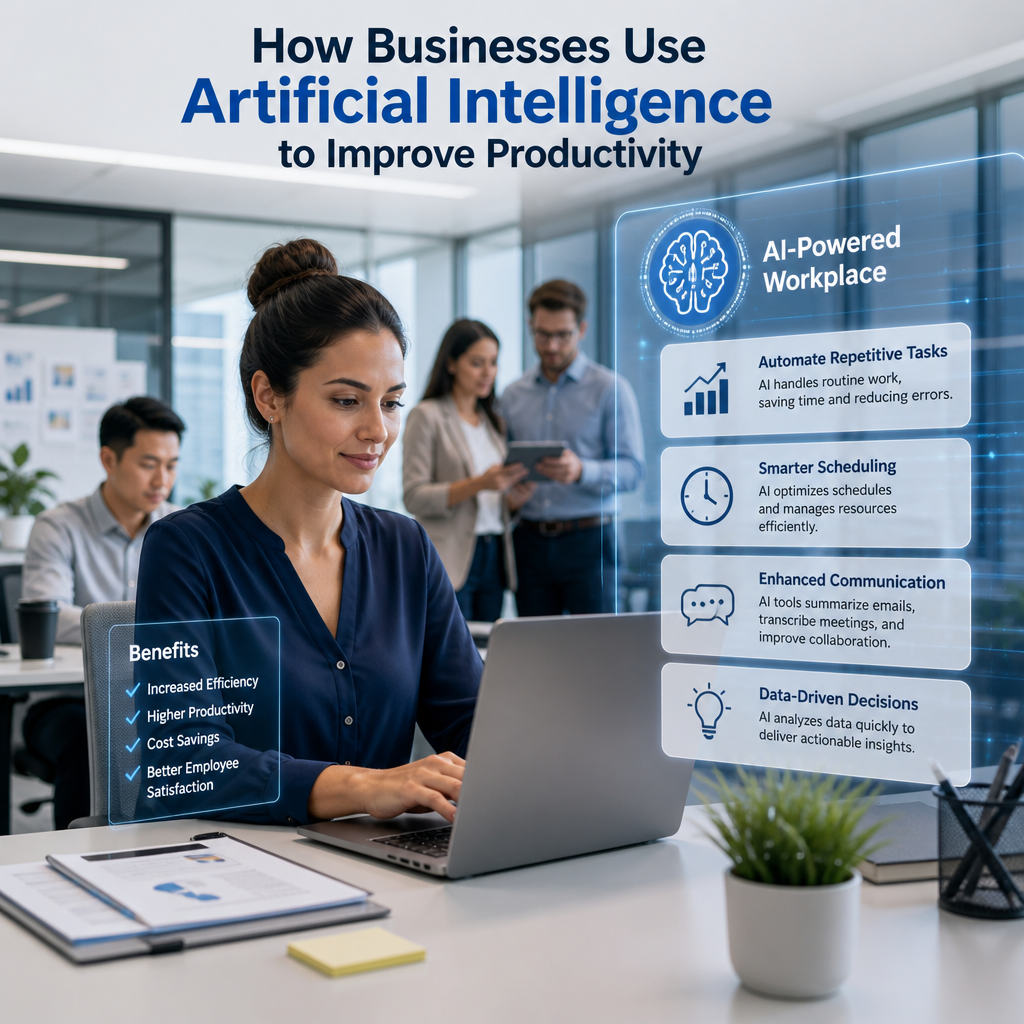
How Businesses Use Artificial Intelligence to Improve Productivity
Businesses are increasingly turning to artificial intelligence productivity tools to automate routine work, speed up decision-making, and free teams to focus on higher-value tasks. From small startups to large enterprises, AI is helping organizations work smarter, not harder.
By: Peter on July 30, 2026
Artificial intelligence is no longer a futuristic concept reserved for research labs or big tech companies. Today, businesses of all sizes are using artificial intelligence to improve productivity in practical, measurable ways. From automating repetitive tasks to helping teams make faster decisions, AI is changing how work gets done across industries.
The biggest advantage is not that AI replaces people—it’s that it helps people focus on higher-value work. When employees spend less time on manual, routine tasks, they can devote more energy to strategy, creativity, customer service, and problem-solving. That shift is why so many organizations are adopting AI tools now.
In this article, we’ll explore how businesses are using artificial intelligence to improve productivity, where it delivers the most value, and what leaders should consider before implementing it.
Why Artificial Intelligence Is Becoming a Productivity Tool
Productivity has always been about doing more with less effort, time, and waste. AI helps businesses move toward that goal by recognizing patterns, analyzing data, generating content, and automating workflow steps that once required significant human input.
Unlike traditional software, AI can adapt to new information and improve outputs over time. That makes it especially useful in fast-moving environments where businesses need to respond quickly and efficiently.
The core productivity benefits of AI
Businesses typically turn to AI for a few key reasons:
Speed: AI can process large volumes of information much faster than humans.
Consistency: It can perform repetitive tasks with fewer errors.
Scalability: AI tools can handle increasing workloads without a matching increase in staffing.
Decision support: AI can surface insights that help leaders make better decisions.
Time savings: Employees can offload routine work and focus on more valuable tasks.
These benefits apply across departments, from marketing and HR to operations, finance, and customer support.
How Businesses Are Using Artificial Intelligence to Improve Productivity
AI adoption looks different depending on the business, but the most effective uses tend to fall into a few common categories. In many cases, companies are not reinventing their operations—they are simply making existing processes faster, smarter, and easier to manage.
1. Automating repetitive administrative work
One of the most common ways businesses are using artificial intelligence to improve productivity is by automating administrative tasks that take up valuable employee time.
Examples include:
Scheduling meetings
Sorting and routing emails
Transcribing notes from calls
Updating customer records
Generating standard reports
Entering data into business systems
For example, a sales team might use AI to summarize client interactions and automatically log them in a CRM. A human resources team might use AI to screen applications or answer common employee questions through a chatbot. These small efficiencies add up quickly across a busy organization.
2. Improving customer support response times
Customer support is another area where AI has had a major impact. Many companies use AI-powered chatbots and virtual assistants to handle simple questions around the clock.
These tools can:
Answer frequently asked questions
Help customers track orders
Route complex issues to the right representative
Provide instant responses outside normal business hours
This improves productivity in two ways. First, customers get faster service. Second, support agents spend less time on repetitive issues and more time resolving complicated cases that require empathy and judgment.
3. Streamlining content creation and marketing
Marketing teams are using artificial intelligence to improve productivity by speeding up content development and campaign execution. AI tools can assist with brainstorming, outlines, ad copy, subject lines, and social media captions.
Some practical uses include:
Generating first drafts of blog posts or emails
Creating multiple variations of ad copy for testing
Suggesting SEO-friendly headlines and keywords
Analyzing audience behavior to improve targeting
Repurposing long-form content into shorter formats
For example, a content team might use AI to draft a social media campaign based on a new product launch, then have a human editor refine the messaging for brand voice and accuracy. The result is a faster workflow without sacrificing quality.
4. Enhancing data analysis and decision-making
Data is one of the most valuable business assets, but only if teams can interpret it efficiently. AI helps by detecting patterns, identifying trends, and summarizing large datasets in ways that humans can act on more quickly.
Businesses use AI for:
Sales forecasting
Inventory planning
Customer segmentation
Risk detection
Financial analysis
Performance reporting
For instance, an operations team might use AI to predict supply chain bottlenecks before they happen. A finance department might use it to flag unusual spending patterns for review. In both cases, AI reduces the time needed to find insights and respond appropriately.
5. Supporting better project management
Project management can become time-consuming when teams are juggling deadlines, dependencies, and shifting priorities. AI tools can help managers keep projects on track by monitoring progress and suggesting adjustments.
Common uses include:
Prioritizing tasks based on urgency or workload
Predicting delays before they occur
Summarizing project updates
Assigning work based on team capacity
Identifying bottlenecks in workflows
A project manager overseeing a product launch, for example, may use AI to identify tasks at risk of falling behind and then reallocate resources before the issue affects the timeline.
6. Improving hiring and HR workflows
Human resources departments are using artificial intelligence to improve productivity by making recruiting and employee management more efficient.
AI can assist with:
Resume screening
Interview scheduling
Employee onboarding
Internal knowledge search
Personalized training recommendations
That said, HR teams should be careful to use AI responsibly. Hiring tools can reflect bias if they are not designed and monitored well. The best approach is to use AI as a support tool, not as the final decision-maker.
7. Optimizing operations and supply chains
In operations-heavy industries, AI can have a direct impact on productivity by improving planning and reducing waste. Businesses use it to analyze demand, manage inventory, and optimize logistics.
Examples include:
Predicting inventory needs
Identifying the most efficient delivery routes
Monitoring equipment for maintenance issues
Detecting disruptions in supply chains
Reducing downtime in manufacturing settings
A manufacturer might use AI-powered predictive maintenance to spot machine issues before they cause costly breakdowns. A retailer might use AI to better match stock levels to customer demand. These improvements can reduce delays and help teams work more efficiently.
Where AI Delivers the Most Value
Not every business process needs AI. The best results usually come from using it in areas where tasks are repetitive, data-heavy, or time-sensitive.
High-impact use cases
AI tends to be most helpful when:
Employees spend significant time on routine work
Decisions depend on large amounts of data
Processes involve predictable patterns
Faster responses improve customer satisfaction
Accuracy and consistency matter
Businesses should start with use cases that are easy to measure. That makes it simpler to determine whether the tool is actually improving productivity.
A practical example
Consider a mid-sized service company with a small operations team. Before AI, employees manually responded to common customer questions, updated spreadsheets, and prepared weekly status reports. After implementing AI tools, the company:
Automated basic customer responses
Used AI to summarize project progress
Generated draft reports for management review
The team did not eliminate human oversight, but it dramatically reduced the time spent on routine tasks. That gave employees more room to focus on service quality and process improvement.
Best Practices for Implementing AI Productively
To get real value from AI, businesses need more than just software. They need a thoughtful implementation strategy that aligns with goals, workflows, and employee needs.
Start with specific problems
The most successful AI projects begin with clear, narrow use cases. Instead of asking, “How can we use AI everywhere?” ask, “Which task consumes too much time and follows a predictable pattern?”
Good starting points include:
Repetitive email handling
Meeting summaries
Customer support triage
Sales lead qualification
Basic reporting
Starting small reduces risk and makes it easier to measure results.
Keep humans in the loop
AI works best when it supports people rather than replacing oversight. Human review is especially important for:
Customer-facing communication
Legal and compliance work
Hiring decisions
Financial recommendations
Anything involving judgment or sensitive data
A hybrid workflow often produces the best outcome: AI handles the first pass, and a human verifies the final result.
Train employees to use AI well
AI tools are only as effective as the people using them. Businesses should provide training on:
How to write effective prompts
What tasks are appropriate for AI
How to verify AI-generated output
Data privacy and security expectations
When to escalate to a human
When employees understand the limits of AI, they are more likely to use it responsibly and productively.
Measure outcomes, not hype
Productivity gains should be based on real business metrics, such as:
Time saved per task
Reduction in manual work
Faster response times
Fewer errors
Improved customer satisfaction
Better throughput for key workflows
If an AI tool sounds impressive but doesn’t produce meaningful results, it may not be worth keeping.
Common Risks and Limitations
AI can improve productivity, but it is not a magic fix. Businesses need to understand its limitations to avoid creating new problems.
Important challenges to watch
Inaccurate outputs: AI can produce errors or misleading suggestions.
Data privacy concerns: Sensitive information must be handled carefully.
Overreliance: Teams may trust AI too much and skip human review.
Change management issues: Employees may resist new tools if they do not understand the benefits.
Integration challenges: AI works best when it fits smoothly into existing systems.
The most effective companies treat AI as one part of a broader productivity strategy, not the entire solution.
The Future of AI in the Workplace
As AI tools continue to evolve, businesses will likely use them in even more ways to improve productivity. We can expect deeper integration with workplace software, better personalization, and more advanced assistance for planning, analysis, and communication.
That said, the future of AI in business is not just about automation. It is also about augmentation—helping employees work smarter, make better decisions, and spend more time on meaningful work. Companies that embrace that mindset are more likely to see lasting benefits.
Frequently Asked Questions
1. How are businesses using artificial intelligence to improve productivity day to day?
Businesses use AI to automate repetitive work, speed up communication, analyze data, and support decision-making. Common examples include chatbots, report generation, scheduling tools, sales forecasting, and content drafting.
2. Which departments benefit most from AI productivity tools?
Many departments benefit, but some of the most common are customer service, marketing, HR, finance, operations, and sales. These teams often manage high volumes of repetitive or data-heavy tasks, which makes AI especially useful.
3. Does AI replace employees when it improves productivity?
Usually, no. In most business settings, AI supports employees rather than replacing them. It handles repetitive or time-consuming tasks so people can focus on work that requires judgment, creativity, and relationship-building.
4. What is the best way to start using AI in a business?
Start with a single, well-defined problem that consumes time and can be measured. Good first steps include automating meeting notes, summarizing support tickets, or drafting routine emails. Then evaluate the results before expanding further.
5. Are there risks to using AI for business productivity?
Yes. Risks include inaccurate outputs, privacy concerns, bias, and overdependence on automated tools. Businesses should keep humans involved in important decisions, review outputs carefully, and establish clear policies for responsible use.
Businesses are using artificial intelligence to improve productivity in ways that are both practical and immediate. Whether the goal is to save time, reduce repetitive work, improve customer service, or make better decisions, AI can help teams work more efficiently when it is applied thoughtfully.
The key is to focus on real business problems instead of chasing hype. Companies that start with targeted use cases, keep humans involved, train employees properly, and measure results are more likely to see meaningful gains. AI is most powerful when it removes friction from everyday work and gives people more room to do the tasks that truly require human insight.
As the technology continues to mature, the businesses that learn how to use AI responsibly will have a clear advantage. If you are evaluating ways to improve efficiency, now is the right time to look at where AI can support your team, sharpen your processes, and create more value across your organization.
Peter B holds a degree in Journalism and has 5 years of experience covering U.S. economic policy, labor markets, and financial news. He writes data-driven news content on topics like inflation, interest rates, and employment trends.